Helping business owners recognise incoming payments with confidence
Transaction Alerts let shop staff confirm incoming payments themselves, by SMS, WhatsApp or email, without calling the business owner.
I was responsible for the end-to-end design of Nomba Transaction Alerts, working with Ronke, our Product Manager, my design lead and stakeholders across the business. Within three days of launch, 100 merchants had switched it on.
See the live app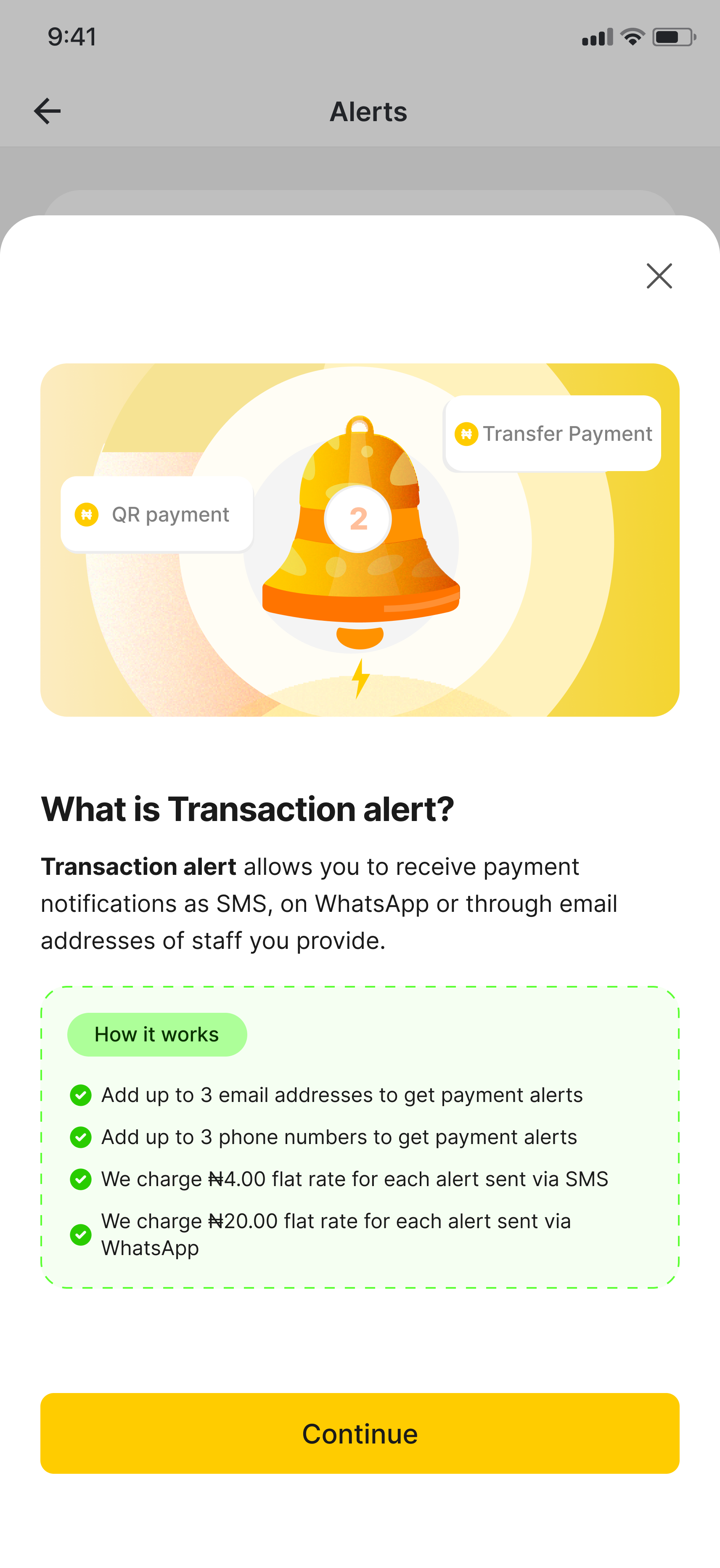
- Role
- Senior Product Designer
- Worked with
- Ronke (Product Manager), my design lead, Operations and other stakeholders
- Channels
- SMS, WhatsApp and email
- Year
- 2024
Every transfer needed the owner
Before Transaction Alerts, shop assistants often depended on the business owner to confirm incoming payments. In many cases, the Nomba dashboard was only on the owner's phone or laptop.
So when a customer said they'd made a transfer, the shop assistant had to contact the owner to check. That added friction to the sale, interrupted the owner and used up airtime.
The person taking the payment couldn't see it.
Found in Bariga Market
The problem came up during Nomba's Bariga Drive, a four-week initiative where people from different departments took turns visiting Bariga Market to speak with merchants and promote Nomba POS devices and services.
During those visits, a merchant raised it: their staff couldn't confirm incoming payments on their own. Further conversations showed it was a recurring merchant pain point, not a one-off request.
End-to-end design, worked through together
I owned the design end to end, but not in isolation. Product decisions were shared with Ronke, my design lead and stakeholders across the business, especially where they touched operational feasibility, security, pricing or the business model. My part:
- Turning merchant conversations into a clear problem definition
- Working with Ronke on product direction
- Mapping the user flow
- Designing the interface
- Working through design decisions with my design lead and cross-functional stakeholders
- Thinking through access control, recipient setup, delivery costs and operational constraints
Alerts for the people who need them
Transaction Alerts let a merchant share incoming transaction information with chosen recipients by SMS, WhatsApp or email. The account owner could add up to three phone numbers and three email addresses for a shop, and every recipient received that shop's alerts.
01 An explainer sets expectations first: who can receive alerts, the limits, and what each channel costs.
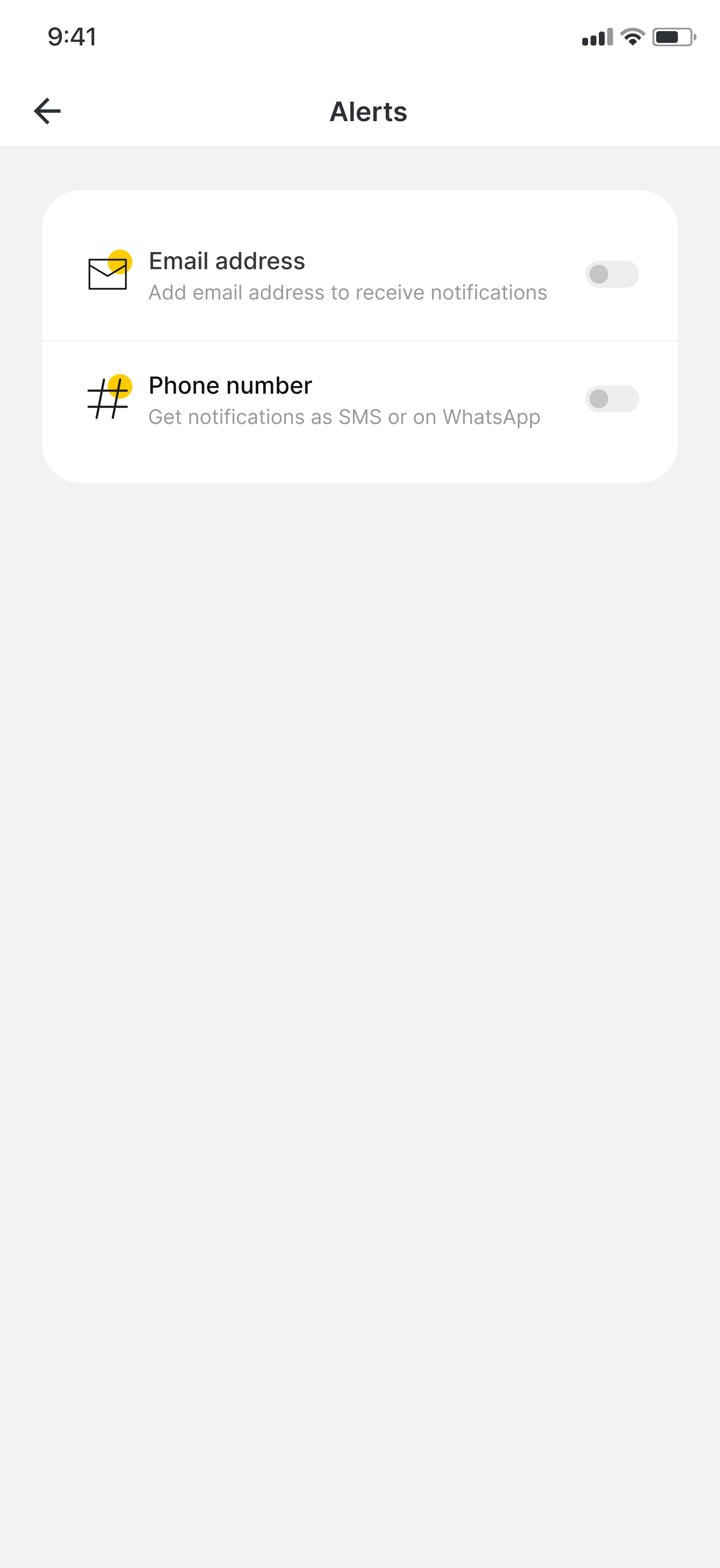
02 Recipients are set up by channel: email, or a phone number for SMS or WhatsApp.
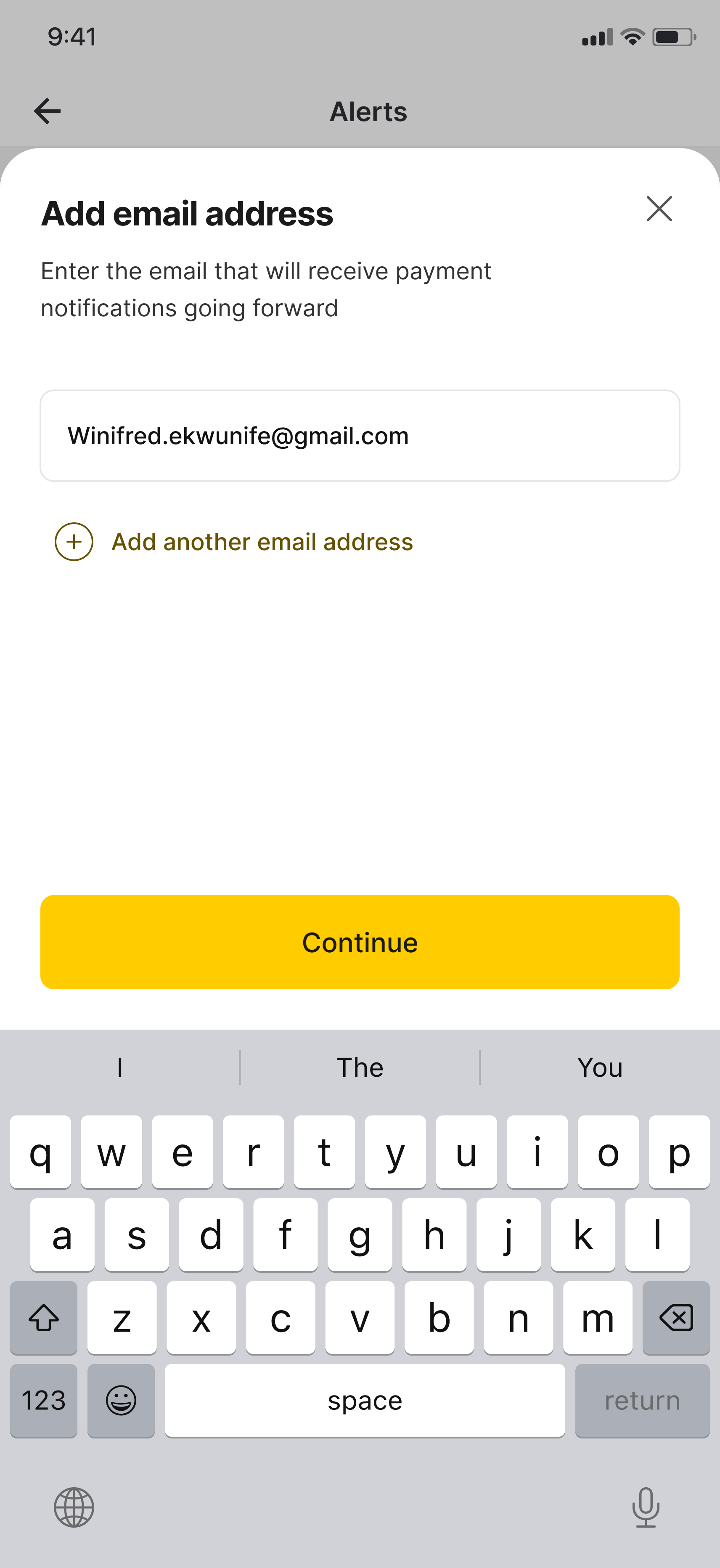
03 Adding an email recipient, with room for more.
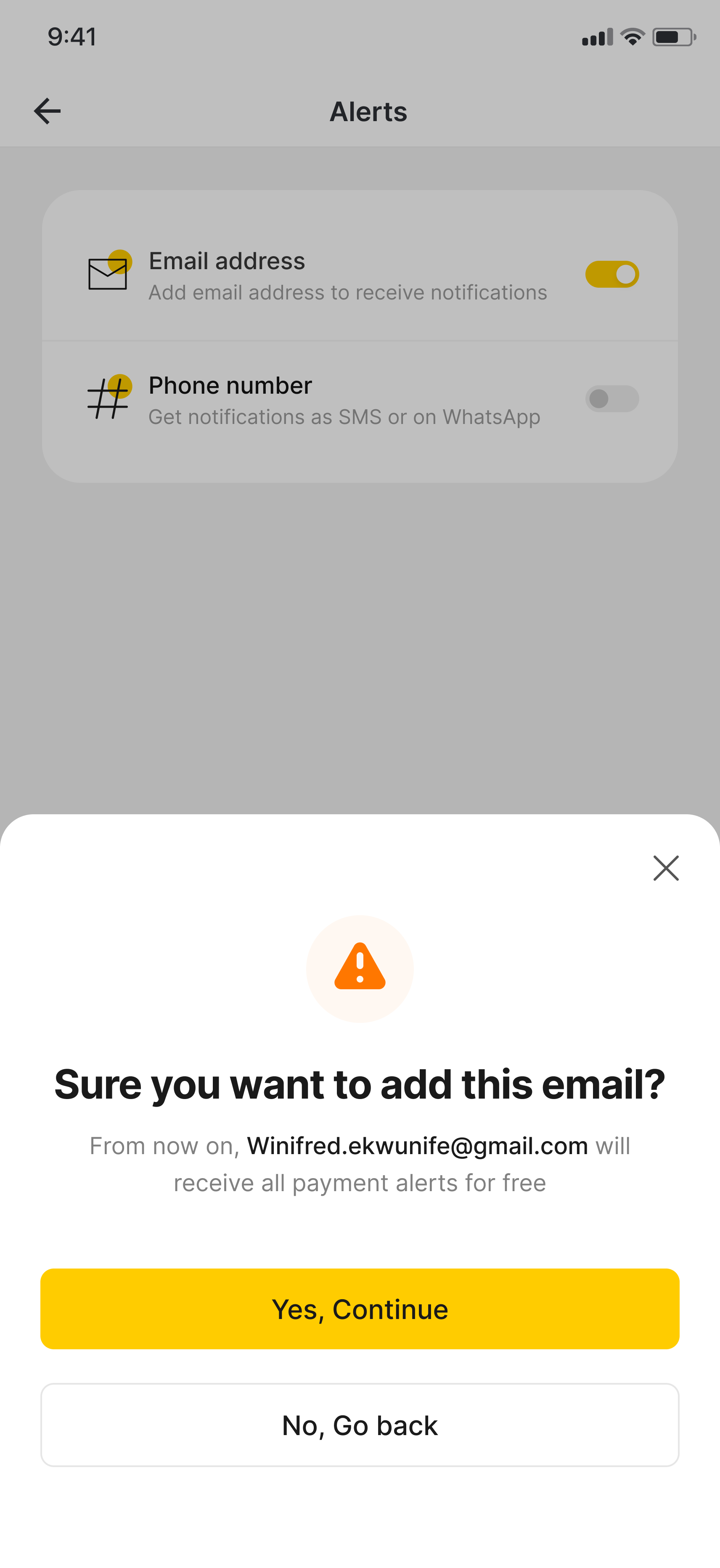
04 A confirmation before the address starts receiving alerts.
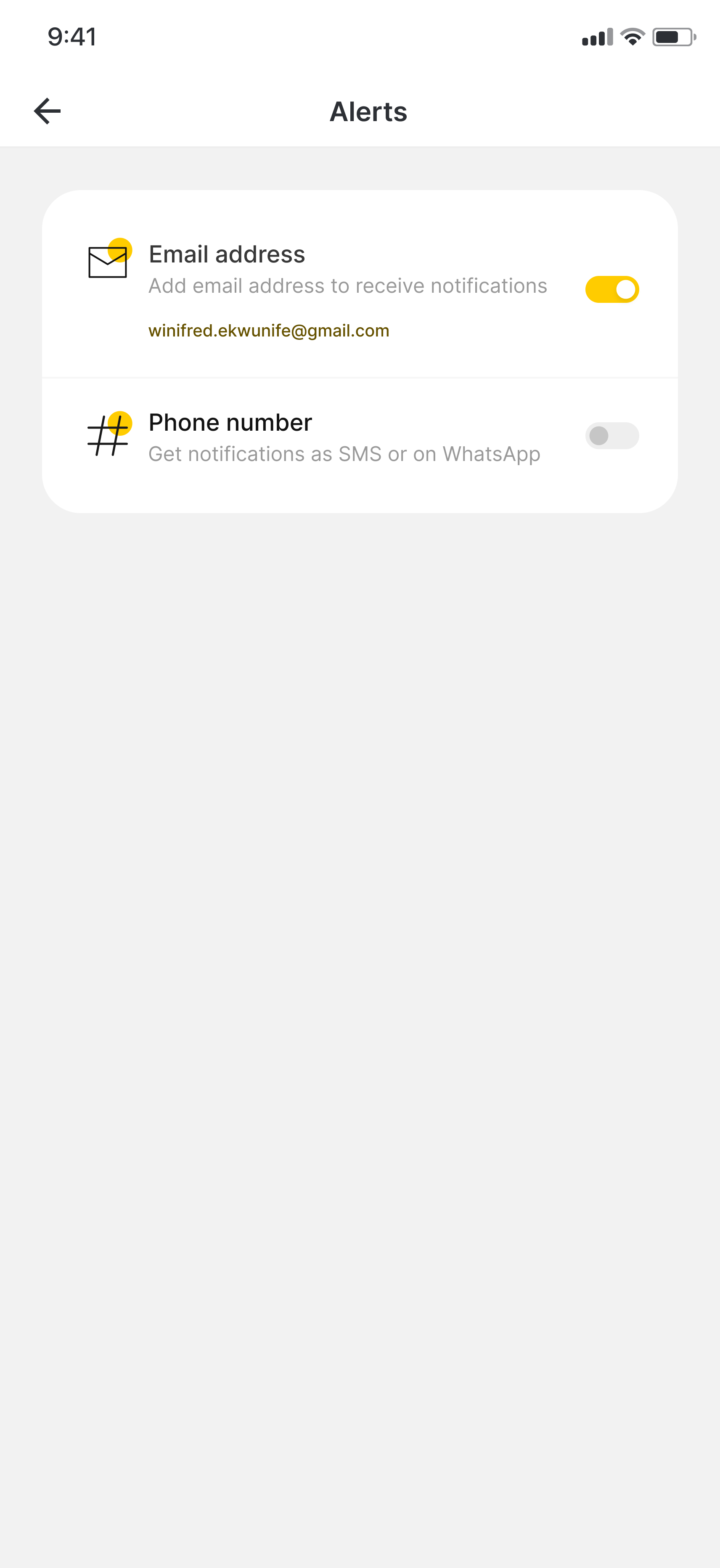
05 Email alerts on, with the recipient listed.
Who can add recipients, and which shop they hear about
- Owner only. Only the account owner could add recipient phone numbers. Account administrators couldn't.
- Verified numbers. Phone numbers had to be verified with an OTP.
- One shop at a time. Alerts were scoped to the shop they were set up for. An owner's other outlets weren't included automatically.
- Shop AAlerts set up: its recipients get Shop A's payment alerts
- Shop BNot included automatically
- Shop CNot included automatically
Together, these let a shop assistant see payments without being handed access to the account, and let an owner with several outlets decide who hears about which shop.
Decisions we made together
Several questions went beyond the interface. We worked through them with Ronke, my design lead, Operations and other stakeholders:
- Recipient limits. How many people a shop could add. The shipped flow allows three phone numbers and three email addresses.
- SMS pricing. What alerts should cost merchants. The shipped explainer shows ₦4 per SMS alert and ₦20 per WhatsApp alert.
- Free email. Whether email alerts should be free. In the shipped flow, they are.
- WhatsApp delivery. Who would own delivering WhatsApp messages.
- The right information. Making sure each recipient got the transaction information intended for them.
100 merchants in three days
- merchants enabled Transaction Alerts within three days of launch
- 100
The feature launched and became available to merchants. Commercials were also produced to promote it and extend its reach.
Those are two different things: the 100 counts merchants who switched alerts on, while the commercials were about reach. I don't credit the design alone for the activations, and we didn't measure whether payment delays, confirmation calls or airtime spend went down.
What I took from it
Visibility without access.
Staff needed to see payments, not the account. Owner-only setup gave them one without the other.
Scope is a design decision.
Tying alerts to a single shop kept multi-outlet businesses separate by default.
Small features carry business decisions.
Pricing, free email and WhatsApp delivery shaped the flow as much as the screens did.
In short
Transaction Alerts looks like a simple notification feature. The work was in getting payment information to the right people while keeping the account owner in control, outlets separate and the operation feasible.
Have something worth building?
I read every email. The best way to reach me is a short note about the problem — no deck required.